Reach DMARC Enforcement Without Disrupting Legitimate Email
One place to understand every sending source, fix authentication gaps, and keep DMARC enforcement healthy as your email environment changes.
- Turn DMARC reports into a clear view of who is sending and how they authenticate.
- Fix SPF, DKIM, and alignment gaps before they block safe enforcement.
- Reach p=reject with confidence and keep it healthy as senders change.
14-day free trial. No credit card required


Simple to deploy > Easy to manage > Built for complex email environments

Your email environment keeps changing. Authentication can drift.
New sending services, provider changes, and authentication failures can weaken domain protection and disrupt legitimate email.
If spoofing or delivery issues are the first signal, the team is already reacting too late.
Security
Unknown senders appear
New platforms can start using your domain before the people responsible for authentication have the full context.
Security
Old access stays behind
Services the business no longer uses can remain represented in authentication configuration.
Legitimate sending
Approved senders fall out of alignment
Authentication changes can cause legitimate email to fail DMARC and risk rejection, deferral, or spam placement.
Legitimate sending
Policy stops moving
When teams are unsure what failing traffic represents, p=none becomes the safe place to stay.
Run authentication as a continuous control
EasyDMARC gives Security and IT one simple way to observe what is happening, assess what changed, and control what needs action as the email environment evolves.
See the current state clearly
EasyDMARC brings the authentication evidence behind each domain into one clean view, so teams can see what is sending, how it is authenticating, and what has changed.
With Observe, teams can:
- see known and unfamiliar sending sources
- review SPF, DKIM, and DMARC results
- track policy state across domains
- spot changes in the sending environment
- identify legitimate senders developing authentication issues

Understand what changed and what needs attention
EasyDMARC helps teams determine whether a source belongs, where authentication is failing, and whether the issue affects domain protection, legitimate email, or both.
With Assess, teams can:
- distinguish expected senders from unfamiliar activity
- identify SPF, DKIM, and alignment failures
- understand what changed
- see whether legitimate email is at risk
- identify what is blocking confident policy decisions

Turn the finding into action
Once the issue is understood, EasyDMARC helps teams correct the problem, verify the result, and restore the expected authentication state.
With Control, teams can:
- correct SPF or DKIM issues
- restore authentication for legitimate senders
- remove obsolete or unauthorized sources
- manage and maintain DMARC policy
- verify that legitimate email remains healthy after changes

Operate authentication across the full lifecycle
EasyDMARC brings sender visibility, authentication health, policy control, and BIMI readiness together so teams can manage authentication as one continuous program.
01 · Discover
Know every sender
02 · Monitor
Read the DMARC signal
03 · Fix
Close authentication gaps
04 · Enforce
Move policy forward safely
05 · Maintain
Keep enforcement healthy
Discover
See Every Sending Source
Build a current view of the services, platforms, vendors, and internal systems sending on behalf of your domains.
- Map sending sources across your domains
- See SPF, DKIM, DMARC, and alignment state
- Surface new or unfamiliar senders as they appear
Keep authentication grounded in real sender visibility.
Monitor
Monitor DMARC Reports and Authentication Health
Turn aggregate DMARC data into operational visibility across senders, authentication results, alignment, and change.
- See which sources are passing or failing authentication
- Understand alignment issues and sending patterns
- Track authentication health as infrastructure changes
Turn DMARC reporting into continuous operational visibility.
Fix
Fix Gaps and Keep Legitimate Email Authorized
Resolve the authentication issues standing between legitimate senders and a healthy enforced state.
- Correct SPF, DKIM, and alignment problems
- Keep supported sending infrastructure authorized
- Restore legitimate senders without weakening policy
Protect legitimate mail while closing authentication gaps.
Enforce + Maintain
Reach Enforcement and Keep It Healthy
Move policy forward with visibility into legitimate sending, then keep watching as the ecosystem changes around it.
- Progress from monitoring toward p=quarantine and p=reject
- Centralize policy management and enforcement tracking
- Catch new senders, failures, and drift after enforcement
Reach enforcement with confidence, then keep it operational.
The Context Is Already There. Your Team Can Move Faster.
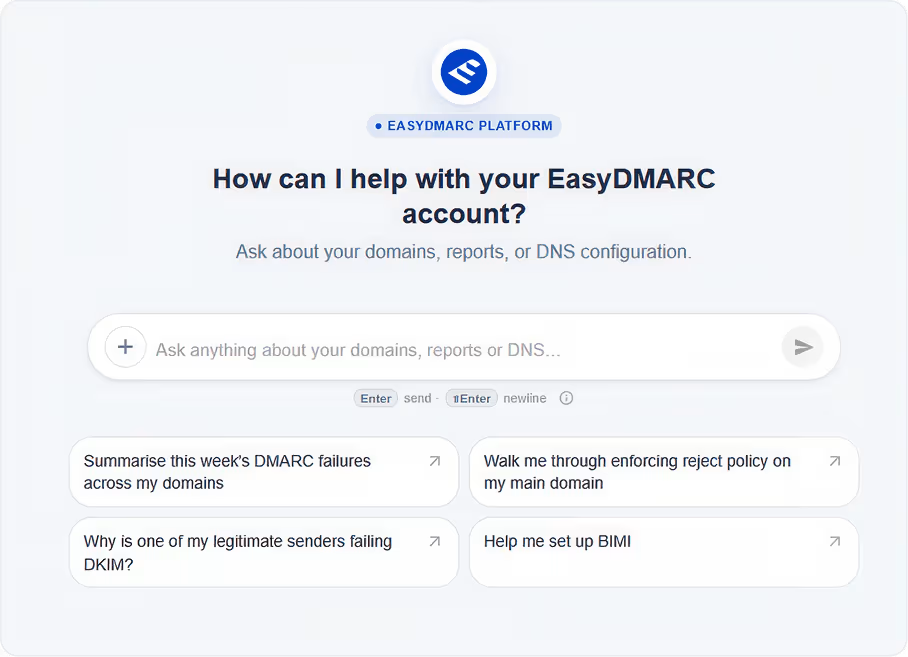
EasyDMARC keeps sender, authentication, policy, and reporting context together. AI Agent can understand and act with approval. Alerting surfaces what needs attention. Integrations and API fit authentication into your workflows. MCP extends permitted context into your own AI.
Ask. Understand. Act.
Ask what is happening across your authentication program without rebuilding the context first. AI Agent can explain the issue, prioritize what matters, recommend the next step, and execute supported actions after your approval.
Understand
Work from sender, DMARC, SPF, DKIM, alignment, policy, and reporting context already in the platform.
Prioritize
See what changed, what may be affected, and where attention should go first.
Act
Review the recommended change, approve it, and let EasyDMARC execute supported actions.
AI recommends. You approve. EasyDMARC acts.
See What Needs Attention.
Surface meaningful changes such as new senders, authentication failures, and policy drift without watching every healthy signal.
Alerting
Fit Authentication Into Your Workflows.
Connect the systems around your email program, move data where it needs to go, and automate supported workflows without adding manual handoffs.
Integrations + API
Bring EasyDMARC Context Into Your Own AI.
Give compatible external AI access to permitted authentication context and selected actions, so it can work from real Email Trust data instead of a blank prompt.
MCP
Less manual interpretation. Less dashboard watching. Faster movement from finding to action.
The authentication context stays with the work.
Know Your Authentication Program Is Under Control.
Move beyond a DMARC project and operate authentication as a healthy, continuously monitored part of your email infrastructure.
01
Legitimate Email Protected
Keep supported senders authenticated and identify failures before they become larger delivery or enforcement problems.
02
Enforcement Maintained
Reach stronger DMARC policy with visibility into legitimate sending, then keep the enforced state healthy as senders and providers change.
03
Authentication Easier to Operate
Give teams a current picture of senders, reports, failures, and policy without rebuilding the story from separate tools.
90,000+ organizations trust EasyDMARC worldwide
The Managed SPF and DKIM solutions put us in a position where we can manage both very simply. When we bring on a new vendor, adding their information is straightforward, and we have a much cleaner process for maintaining those records over time.
William Olejarz
Information Security Risk Analyst at Florence Bank
Interconnected across the Email Trust Platform
How Authentication connects to the rest of the platform.


DNS Manager
SPF, DKIM, and DMARC records live in DNS zones managed by DNS Manager. Changes to those records, whether made inside or outside the platform, can affect authentication compliance. DNS Manager's drift detection surfaces out-of-band changes.

Sender Insights
Authentication compliance status per sending source feeds into Sender Insights delivery analysis. When a source's compliance drops, its delivery performance data provides the operational context needed to understand what changed.

Threat Intelligence
Unauthorized senders identified in Authentication surface as threat signals in Threat Intelligence. Authentication enforcement status, including whether a domain is at p=reject, helps show how exposed the domain is to impersonation.
What is an email authentication platform?
An email authentication platform helps organizations understand and maintain the authentication state behind their domains. EasyDMARC brings together sender visibility, DMARC reporting, authentication troubleshooting, policy management, and managed authentication capabilities so teams can move toward enforcement and maintain it afterward.
What does DMARC enforcement mean?
DMARC enforcement means moving beyond a monitoring-only p=none policy to an appropriate p=quarantine or p=reject policy, instructing receiving systems to take action when email fails DMARC.
Does DMARC require both SPF and DKIM to pass?
No. A message can satisfy DMARC through aligned SPF or aligned DKIM. Both do not need to pass for an individual message.
Why can legitimate email fail DMARC?
A legitimate sender can fail because SPF or DKIM is incorrectly configured, because the passing authentication identity is not aligned with the visible From domain, or because the sending infrastructure has changed without the authentication setup changing with it.
Why keep monitoring after reaching p=reject?
Because enforcement does not freeze the environment. New sending services can appear, providers can change infrastructure, and legitimate senders can develop new authentication failures.
Does EasyDMARC replace our DNS or email providers?
No. Existing DNS and sending providers continue performing their normal roles. EasyDMARC provides the visibility, evidence, policy management, and supported authentication workflows used to operate the authentication layer around them.
Does DMARC improve email deliverability?
DMARC can support deliverability, but it does not guarantee inbox placement. SPF, DKIM, and DMARC alignment help legitimate mail meet authentication requirements used by major mailbox providers, while DMARC reporting helps teams find authentication failures before they become larger problems.
Gmail and Yahoo require DMARC for bulk senders, including alignment between the visible From domain and SPF or DKIM.
Delivery still depends on sender reputation, spam complaints, message quality, sending behavior, and recipient engagement.
Does EasyDMARC support MCP?
Yes. EasyDMARC supports MCP, allowing compatible AI assistants such as Claude to connect to EasyDMARC and access authentication insights. This lets technical and marketing teams work with EasyDMARC context from the AI tools they already use.