Make Your AI Understand Email End to End
EasyDMARC MCP connects your AI to the signals and context across your email environment, helping it reason across security and deliverability instead of working from isolated data.
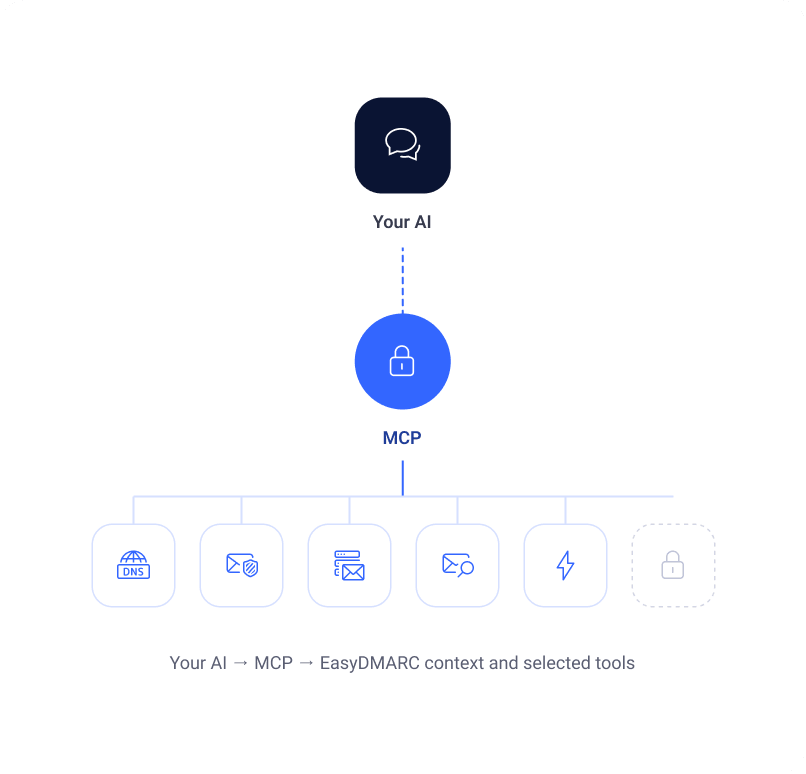
Your AI. The key layers behind email. Controlled access to EasyDMARC.
No credit card required
Bring in the key layers behind email
DNS, authentication, sender health, reputation, receiver signals, threats, policy, and more.
Use selected EasyDMARC actions
External AI can invoke the supported MCP actions EasyDMARC intentionally makes available.
Keep sensitive operations out
Scopes that could expose secrets remain deliberately unavailable to external AI environments.
Give Your AI the Email Context It Was Missing.
Instead of copying findings between tools, connect your AI to permitted EasyDMARC context across infrastructure, authentication, sending, reputation, receiver behavior, threats, and policy.
- DNS & Infrastructure context
- Authentication state and policy
- Sender health, reputation, and delivery signals
- Threat Intelligence and impersonation context
- Selected supported actions
The external AI stays yours. EasyDMARC supplies the permitted email context and selected tools.
Connect EasyDMARC MCP in Minutes
Use the EasyDMARC MCP server with a supported AI client. No separate API key is required. When prompted, sign in with your EasyDMARC account, and MCP uses the access already available to that account.

Claude
Web, desktop, or mobile
Open Settings → Connectors.
Choose Add custom connector.
Paste https://mcp.easydmarc.com/mcp.
Select Connect and sign in with EasyDMARC.

Claude Code
Add EasyDMARC from the terminal
Run /mcp.
Select easydmarc.
Choose Authenticate and sign in.

ChatGPT
Add EasyDMARC as a connector
Open Settings → Connectors → Create.
If you do not see the option, enable Developer mode first.
Paste https://mcp.easydmarc.com/mcp.
Select Connect and sign in with EasyDMARC.

Cursor
Add EasyDMARC as an MCP server
Open Settings → Tools & MCP → New MCP server.
Click Login on the EasyDMARC server entry.
Sign in with your EasyDMARC account.
Important: MCP only exposes the EasyDMARC context and selected actions made available through MCP. Sensitive secret-revealing operations remain deliberately outside the external AI scope.
Security. Deliverability. Compliance. In the AI Workflow You Choose.
Security
“Where are the gaps in our email security posture?”
Use permitted EasyDMARC context around authentication, unauthorized sending, spoofing, impersonation, malicious infrastructure, and exposure to enrich your own security workflows.
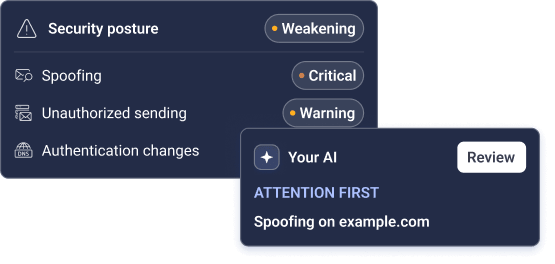
Useful for investigation, prioritization, reporting, and selected supported response actions.
Delivery & Deliverability
“Password resets are failing. What changed around this sender?”
Bring sender health, authentication, reputation, receiver signals, delivery evidence, and infrastructure context into the AI assistant your team already uses.
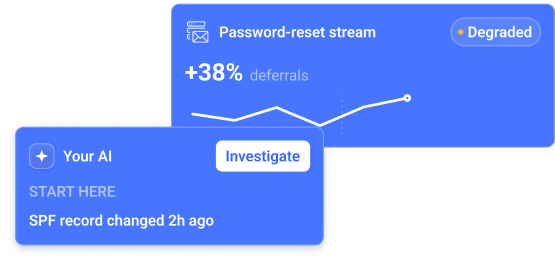
Useful for faster triage, cross-system reasoning, and routing the investigation toward the right layer.
Governance & Compliance
“Are our domains meeting the expected email policy?”
Use permitted policy, authentication, enforcement, sender, and configuration context to support governance reviews and identify where the environment still needs attention.
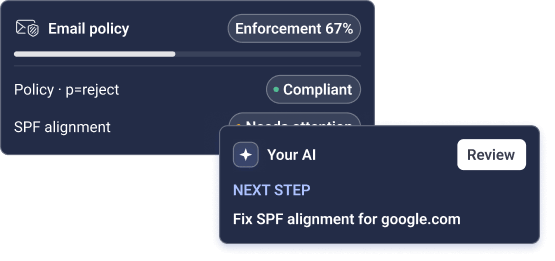
Useful for recurring reviews, internal reporting, and policy-oriented workflows.
External AI Gets the Context It Needs. Not Every Secret EasyDMARC Holds.
MCP is intentionally not a mirror of every EasyDMARC capability. We expose useful context and selected actions while keeping sensitive operations out of external AI environments.
Permitted Context
Give the external AI the EasyDMARC context needed for the workflow.
Security, deliverability, compliance, domain, sender, policy, and threat context can be exposed where the MCP scope permits it.
Selected Actions
Actions are available, but not every platform action is exposed through MCP.
Only the actions EasyDMARC makes available to MCP can be invoked from the external AI environment.
Sensitive Operations
Scopes that could reveal secrets are intentionally excluded.
This reduces the chance that credentials, secret values, or similarly sensitive information are passed into an external model or its surrounding workflow.
Your AI Provider
Your external AI environment remains governed by its own data-handling terms.
EasyDMARC controls what it exposes through MCP. How the external provider processes what you send to it depends on that provider and your configuration.
Use EasyDMARC AI Agent for the Full Native Experience. Use MCP When You Need EasyDMARC Inside Your Own AI.
They use the same underlying Email Trust context, but they are built for different operating models.
EasyDMARC AI Agent
The most complete AI experience inside EasyDMARC, with the richest native platform context and the broadest set of supported EasyDMARC actions.

Works directly inside the Email Trust Platform.
Uses native EasyDMARC context across the environment.
Best fit for teams that want the full EasyDMARC AI experience.
Approval-based supported actions stay inside EasyDMARC.
EasyDMARC MCP
A controlled bridge for organizations that want permitted EasyDMARC context and selected actions inside external assistants, agents, and workflows.

Works with the external AI environment your team chooses.
Exposes a deliberately scoped subset of EasyDMARC context and tools.
Best fit for custom AI workflows, orchestration, and internal agent systems.
Sensitive secret-revealing operations remain outside MCP.
Bring Email Trust Into the AI Workflows You Already Run.
Enterprise IT & Security
Put EasyDMARC context inside your internal AI workflows.
Enrich internal security agents with email authentication and threat context.
Bring sender and deliverability context into incident investigation workflows.
Generate internal compliance or policy reviews using permitted EasyDMARC data.
Use selected EasyDMARC actions from approved external AI workflows.
MSPs & Service Providers
Connect EasyDMARC to the AI layer behind your service operation.
Bring client email context into your own technician or support assistants.
Prioritize managed environments that need attention using EasyDMARC signals.
Standardize investigation across client accounts inside your own AI workflow.
Use selected actions without exposing sensitive EasyDMARC scopes to the external model.