
This instructional article will demonstrate the Benchmark configuration process of Sender Policy Framework (SPF), DomainKeys Identified Mail (DKIM) Signatures to ensure Benchmark passes the DMARC alignment check and eliminate spam from your domain and increase security.
The SPF record identifies the mail servers and domains that are allowed to send email on behalf of your domain. The DKIM record, on the other hand, is a specially formatted DNS TXT record that stores the public key the receiving mail server will use to verify a message’s signature. These email authentication methods will be used to prove to ISPs and mail services that senders are truly authorized to send email from a particular domain and are a way of verifying your email sending server is sending emails through your domain.
The process of configuring SPF
In order to authenticate Benchmark on SPF, please follow these steps:
- Click on your account name and select Account Settings.
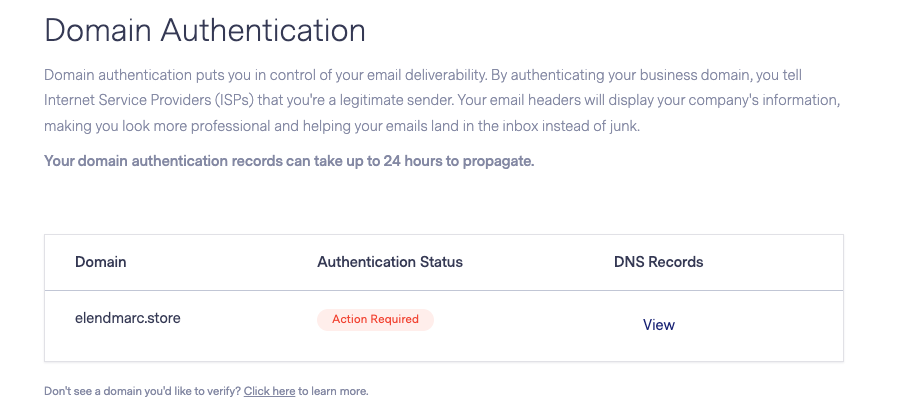
- Then, select Domain Authentication. Here you will see the domains that are available to authenticate.
- Select the domain you want to authenticate and click the Start / View option.
You will now receive the CNAME records for setup. The first one is to configure SPF on a subdomain level, while the other one is to establish DKIM signing.
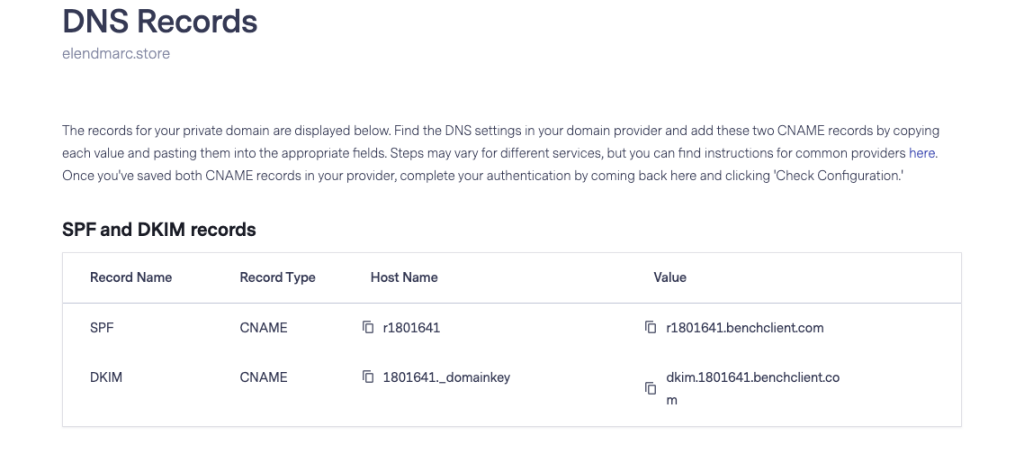
Add the SPF record to the DNS to complete its setup.
The process of configuring DKIM
In order to authenticate Benchmark on DKIM, you need to create a CNAME record. Please follow these steps:
- Login and head to your DNS Zone provider
- Create a new CNAME record
- Input the DNS name copied from the “Domain Authentication” page
- Input the DNS value copied from the “Domain Authentication” page
- Save the record
The screenshot below will show you an example of the DKIM record. We’ll be using CloudFlare for this example.
Important Note: Please make sure to disable the Proxy Status and let it remain on DNS Only.

Once the records are added scroll down and click on “Check Configuration” button to verify the setup.
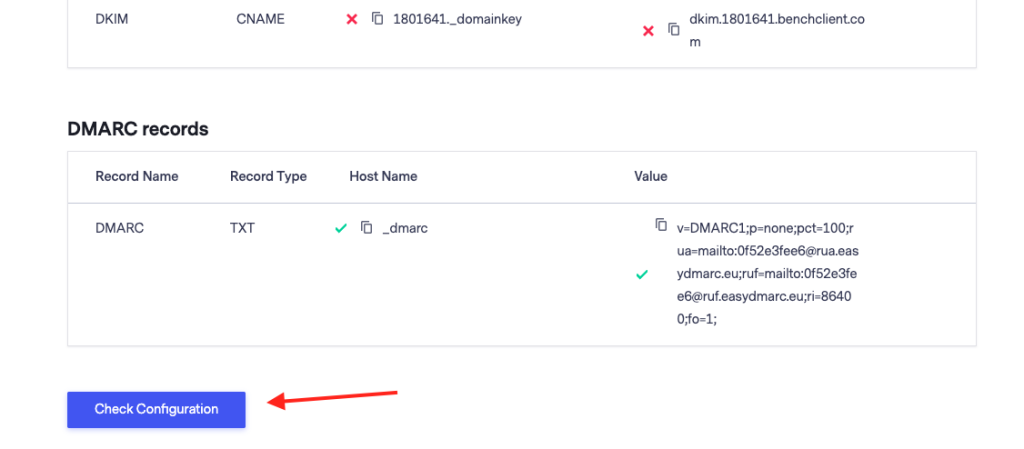
Congratulations, you now successfully authenticated your outgoing mail stream from Benchmark with SPF and DKIM.
Important note: If the provider recommends publishing also a DMARC record, there’s no need to do so if you already have a DMARC record in place, as each domain can only have one DMARC record.

 We’re glad you joined EasyDMARC newsletter! Get ready for valuable email security knowledge every week.
 You’re already subscribed to EasyDMARC newsletter. Continue learning more about email security with us


