
Nothing is more frustrating than watching your perfectly written emails vanish into the spam folder. You do the research, craft the message, test the subject line, and hit send with full confidence, only to get silence. No opens! No replies! No conversions!
That’s when most marketers realize that the problem isn’t their content but their deliverability. Even the best campaigns can fail if your emails never reach the primary inbox. That’s why using the best email deliverability tools isn’t optional anymore; it’s essential.
These tools help you see where your emails land, fix authentication errors, monitor spam triggers, and protect your sender reputation before it takes a hit. Whether you’re running cold outreach or nurturing warm leads, understanding what affects your inbox placement can completely change your results.
In this guide, we’ll explore the top email deliverability tools that can help you test, monitor, and improve your email performance. From testing content and authentication to tracking domain health, these platforms give you the data you need to stay out of spam folders and reach your audience with confidence.
What is Email Deliverability?
Email deliverability is the measure of how successfully your emails reach your recipients’ inboxes rather than being lost in spam or blocked by filters. It’s not just about sending emails; it’s about getting seen.
Your deliverability depends on several factors: your sender reputation, the quality of your email list, the authenticity of your domain setup, and even the tone of your message. If your emails look suspicious or too promotional, mail servers may flag them before they ever reach your audience.
Now, here’s the truth most marketers overlook: achieving a 100% deliverability rate is almost impossible. Even the most optimized campaigns experience some bounce or filtering. Industry benchmarks show that a good deliverability rate typically ranges between 85% and 95%.
That’s where email deliverability tools come in handy. They help you diagnose issues, test inbox placement, and ensure your campaigns perform to their full potential.
Why Email Deliverability Matters
It’s no surprise that, in this digital era, you need online buzz for your business to drive conversions, and a good email deliverability rate is indeed a significant contributing factor to this. Here are detailed reasons why you should maintain a good email deliverability rate:
Better Audience Connection
Consistent inbox placement helps businesses stay in touch with their customers and nurture genuine relationships. Whether it’s a transactional email, a product update, or a personalized offer, strong deliverability ensures that your communication is seen, read, and remembered. This reliability builds trust and keeps engagement levels high.
Stronger Brand Credibility
Every successful delivery gives your brand more visibility. When subscribers regularly receive and open your emails, they start recognizing and trusting your name. On the flip side, frequent delivery failures or spam flags can make your business look unreliable and hurt your reputation over time.
Better Marketing ROI
Email remains one of the most profitable marketing channels, but those returns depend entirely on whether your emails reach the inbox. High deliverability maximizes conversions, click-throughs, and revenue potential.
Helps Track and Improve Campaigns
Monitoring your delivery metrics gives you valuable insight into your campaign performance. By identifying issues early, ike sudden drops in inbox rates, you can adjust your strategy before results take a hit. Using email deliverability tools can simplify this process, allowing you to test, measure, and continuously improve your outreach.
10 Best Email Deliverability Tools in 2025
Choosing the right tool can make all the difference between landing in the inbox or being buried in spam. To make your decision easier, here’s a carefully curated list of the best email deliverability tools in 2025, complete with their pros, cons, best use cases, and pricing.
But before that, give a glance at this table and compare the 10 best email deliverability tools:
| Tool | Starting Price | Accuracy Level | Best For |
| EasyDMARC | Free tools; Paid plans from custom pricing | Very High | Businesses needing unified authentication and deliverability monitoring |
| Inbox Radar by Saleshandy | $23/month | High | Sales and marketing teams tracking inbox placement |
| GlockApps | $59/month | High | Marketing ops testing inbox placement & content |
| MxToolbox | Free plan | Good | IT admins analyzing DNS & authentication issues |
| Postmark | $15/month | High | Developer teams sending transactional emails |
| EmailWarmup | $19/mailbox/month | Good | SMBs automating warm-ups & spam testing |
| Folderly | $96/month | Moderate | Outbound teams improving sender reputation |
| Everest by Validity | $15,000/year | High | Large enterprises needing in-depth analytics |
| Google Postmaster Tools | Free | Moderate | Gmail senders monitoring domain performance |
| InboxAlly | $149/month | High | Businesses repairing sender reputation |
EasyDMARC
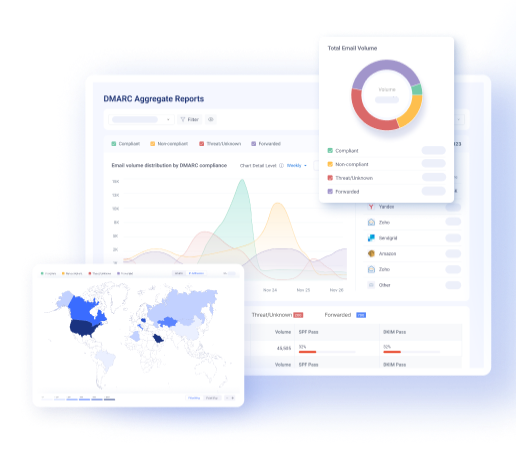
EasyDMARC is one of the best email deliverability tools, offering an authentication platform to help organizations protect their domains, improve inbox placement, and ensure full compliance with global email standards. Its Email Deliverability Test tool quickly identifies why emails fail to reach inboxes by analyzing DNS, SPF, DKIM, and DMARC records to pinpoint exactly what’s impacting deliverability.
What sets EasyDMARC apart is its balance of simplicity and technical depth. Users can test inbox placement, monitor authentication health, and get actionable reports that explain how to improve domain reputation. For businesses managing multiple domains, the centralized dashboard makes visibility and troubleshooting fast, reliable, and straightforward.
Pros:
- Offers detailed deliverability testing with instant insights.
- Monitors DNS, SPF, DKIM, and DMARC configurations in real time.
- Combines domain protection and deliverability analytics in one platform.
Cons:
- Advanced features may require higher-tier plans for full access.
Best for: Businesses that need a unified, trusted platform for domain protection, compliance, and email deliverability improvement.
Pricing: Advanced deliverability analytics may feel extensive for smaller teams.
Inbox Radar by Saleshandy
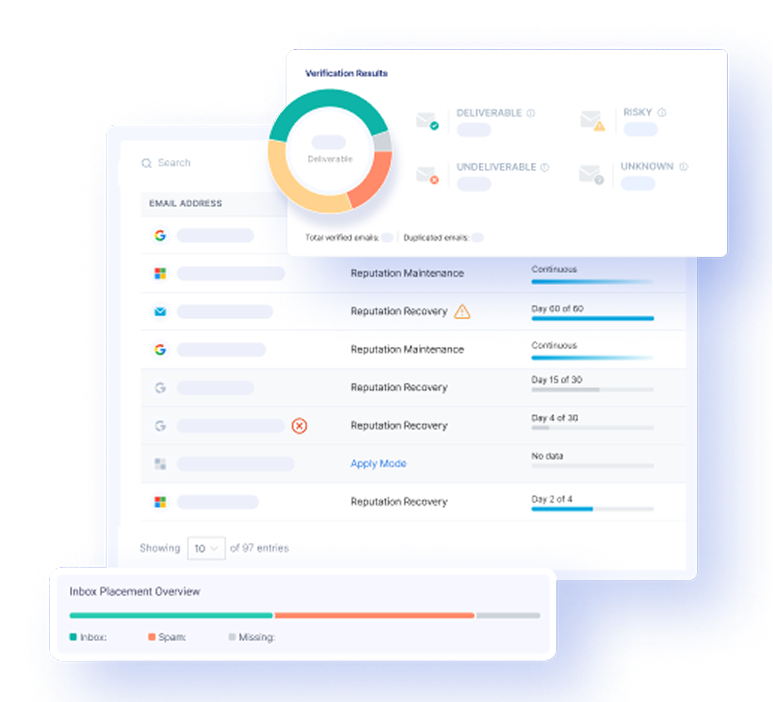
Inbox Radar by Saleshandy is an email testing tool for marketers who want to test and track where their emails actually land, whether that’s the primary inbox, spam, or promotions. You can run inbox placement tests, monitor authentication records, and fix deliverability issues without juggling multiple tools.
It’s especially helpful for teams running frequent cold outreach or marketing campaigns. The tool runs automated, recurring tests and flags problems like missing SPF or DKIM records, spam-triggering words, or domain blacklisting. The insights are easy to read and share, making it great for small teams and agencies that value transparency.
Pros:
- Accurately shows inbox, spam, and promotions placement.
- Detects spammy words and blacklist issues.
- Includes DNS and authentication monitoring.
Cons:
- No free trial available; sold as an add-on
Best for: Sales and marketing teams seeking real-time visibility into inbox placement.
Pricing: Inbox Starter– $23/month; Inbox Pro– $79/month (billed annually).
GlockApps
GlockApps is an email deliverability tool designed to test, monitor, and analyze how emails perform across different inboxes. It provides detailed data on where messages land, and includes seeding tests, spam-trigger checks, and blacklist monitoring for complete visibility.
It supports sender reputation tracking and authentication audits, helping identify DNS or configuration issues that may affect inbox placement. Users can also test their email content for words or formatting that could trigger spam filters.
Pros:
- Tests inbox placement across multiple ISPs using seed lists.
- Detects spam-triggering words and broken HTML issues.
- Tracks blacklists and alerts users of IP or domain flags.
Cons:
- Pricing can be high for smaller businesses.
- Reports may occasionally show minor data inaccuracies.
Best for: Marketing or operations teams needing advanced inbox testing and monitoring.
Pricing: Free plan; Essential– $59/month, Growth– $99/month, Enterprise– $129/month.
MxToolbox
MxToolbox is a technical email deliverability and diagnostic tool that focuses on analyzing email server health, DNS configuration, and blacklist status. It helps users identify authentication issues, such as missing SPF, DKIM, or DMARC records, and guides resolving them.
For marketers or IT teams managing domain reputation, it helps check email headers, detect delivery errors, and spot potential spam triggers. MxToolbox is web-based, so no software installation is required, and it allows quick testing for DNS, MX, and SMTP configurations.
Pros:
- Simple lookup tools for SPF, DKIM, and DMARC validation.
- Detects domain or IP blacklisting and guides remediation.
- Offers server diagnostics for troubleshooting delivery issues.
Cons:
- The free version is limited to basic checks.
- Lacks built-in inbox placement testing.
Best for: Teams needing technical monitoring of authentication and DNS health.
Pricing: Free plan; Delivery Center– $129/month, Delivery Center Plus– $399/month.
Postmark
Postmark is an email deliverability and transactional email platform that offers both SMTP and API-based sending for developers and teams managing transactional or bulk emails. It focuses on stable infrastructure with data centers across multiple regions for faster delivery and reduced latency.
As one of the best email testing tools, the platform automatically manages IP reputation and blocklist monitoring, minimizing manual configuration work.
Pros:
- Reliable infrastructure with global load balancing.
- Tracks reputation and provides 45-day message history.
- Supports webhooks for instant activity updates.
Cons:
- Slightly higher pricing compared to similar tools.
- Primarily focused on transactional rather than marketing emails.
Best for: Developer or product teams managing high-volume transactional emails.
Pricing: Free (100 emails/month); Basic– from $15/month; Pro– from $60.50/month; Platform– from $138/month.
EmailWarmup
EmailWarmup is a deliverability optimization tool designed for SMBs and enterprises across sectors like SaaS, e-commerce, and agencies. It automates the warm-up process using AI and personalization to mimic real campaigns, improving sender reputation and inbox placement rates.
The platform also includes free deliverability testing across 50+ mailbox providers, a spam checker browser extension for Gmail and Outlook, and access to dedicated consultants who assist with DNS and authentication setup. Its testing and analytics dashboard provides actionable visibility into inbox versus spam performance.
Pros:
- Personalized AI-powered email warm-up system.
- Unlimited deliverability tests at no cost.
- Includes spam checker extension and expert consultation.
Cons:
- Limited pricing tiers for scaling teams.
- Browser extension performance may vary by platform.
Best for: Businesses seeking affordable automated warm-up and deliverability support.
Pricing: Free plan (1 mailbox); Pro– $19/mailbox/month with unlimited features.
Folderly
Folderly is one of the practical email deliverability tools that focuses on improving inbox placement and identifying technical or content-related issues that affect email performance. It runs spam placement tests to show whether emails land in the inbox, promotions, or spam and provides recommendations to address problem areas.
The platform’s warm-up system helps gradually improve sender reputation, while real-time alerts notify users when domains or messages face spam risks.
Pros:
- Offers detailed analytics for inbox placement and spam risk detection.
- Supports major email providers for accurate deliverability tracking.
- Includes an AI-based warm-up to build sender reputation naturally.
Cons:
- No option for custom templates during warm-up.
- Limited support for custom SMTP or IMAP setups.
Best for: Businesses running consistent outbound campaigns that need automated reputation management.
Pricing: $96/mailbox/month (annual billing).
Everest by Validity
Everest by Validity is a comprehensive email deliverability platform that combines inbox placement testing, reputation monitoring, and competitive analysis.
Everest tests emails against a large seed list across 100+ mailbox providers and monitors metrics such as Sender Score, blacklist status, and spam-trap activity. It also includes email validation through BriteVerify and supports full authentication checks for SPF, DKIM, and DMARC. However, setup can be time-consuming, and pricing may not suit smaller senders.
Pros:
- Provides global inbox placement tracking with large seed lists.
- Offers sender reputation monitoring and competitor benchmarking.
- Integrates BriteVerify for address validation.
Cons:
- No free plan available.
- Complex initial setup and expensive for small-scale senders.
Best for: Large enterprises or agencies needing detailed deliverability analytics.
Pricing: Elements– $15,000/year; Professional and Enterprise packages have custom pricing.
Google Postmaster Tools
Google Postmaster Tools is a free platform that provides visibility into how Gmail evaluates and delivers your domain’s emails. It’s designed for bulk senders and organizations that want to monitor Gmail-specific metrics like spam rates, authentication status, and domain reputation.
By verifying your domain through a simple TXT record setup, you can access detailed data on how Gmail filters your messages and handles feedback loops. Although it only applies to Gmail recipients, it remains a useful diagnostic tool for troubleshooting and maintaining strong sender performance.
Pros:
- Tracks Gmail-specific metrics like spam rate and IP reputation.
- Helps verify SPF, DKIM, and DMARC alignment.
- Provides valuable feedback to improve the sender’s reputation.
Cons:
- Limited to Gmail data only.
- Requires DNS setup and basic technical knowledge.
Best for: Marketers or developers tracking Gmail inbox performance.
Pricing: Free to use.
InboxAlly
InboxAlly is an email deliverability tool designed to help users move their messages from spam folders to inboxes through automated engagement and domain warm-up. It improves sender reputation by mimicking positive user interactions, such as opening emails, marking them as important, and moving them from spam to the inbox.
The platform tracks real-time inbox placement across major providers like Gmail and Outlook, allowing users to monitor progress as their deliverability improves. InboxAlly also includes customizable engagement settings, so users can tailor warm-up volume and frequency to match their sending goals. While effective for reputation repair, it can be expensive and requires some technical setup before integration.
Pros:
- Enhances inbox placement through automated, realistic engagement.
- Tracks inbox, spam, and promotion placement in real time.
- Offers customizable warm-up and reputation repair options.
Cons:
- No free trial or plan available.
- Higher pricing compared to similar deliverability tools.
Best for: Businesses and agencies needing intensive warm-up and sender reputation recovery.
Pricing: Starter– $149/month; Plus– $645/month; Premium– $1,190/month; Enterprise– custom pricing.
Conclusion
Choosing the right email deliverability tools can be the difference between strong inbox placement and wasted campaigns. Whether you’re managing cold outreach, marketing automation, or transactional emails, testing and monitoring deliverability should always be part of your workflow.
Each tool on this list has its strengths, but EasyDMARC stands out as the most complete, accessible, and reliable solution for businesses of all sizes. From real-time deliverability testing to domain authentication and compliance management, it gives you everything you need to protect your reputation and reach your audience.
Start improving your inbox placement today. Run a free deliverability test with EasyDMARC and make every email count.
Frequently Asked Questions
Email deliverability tools help you test, monitor, and improve where your emails land: in the inbox, spam, or promotions. They analyze technical setups such as SPF, DKIM, and DMARC and help resolve reputation issues.
Using the best email deliverability tools ensures your campaigns reach real inboxes, not spam folders. They provide valuable insights into your domain health, sender reputation, and message quality.
These tools identify what’s keeping your emails from being seen, such as spam triggers, missing authentication, or blacklisting. This ultimately helps you fix those issues, leading to higher open rates.
While many tools perform well, EasyDMARC is often considered the best choice for businesses because it combines deliverability testing, domain protection, and authentication under one secure platform.

 We’re glad you joined EasyDMARC newsletter! Get ready for valuable email security knowledge every week.
 You’re already subscribed to EasyDMARC newsletter. Continue learning more about email security with us


