

Help Scout’s shared inbox, help center, and live chat software gives your team the tools you need to easily manage customer communications.
SPF Configuration
Help Scout doesn’t support SPF alignment, so there is no need to add the mechanism of the source to your SPF record. Emails sent from Help Scout servers will now pass SPF validation using a variable envelope return path (VERP) address set to their servers.
DKIM Configuration
To configure DKIM for Help Scout, you need to add two CNAME records to your DNS hosting provider (DNS zone). These records allow recipient mail servers to retrieve the DKIM public key from Help Scout, enabling proper authentication of your outgoing emails.
Required CNAME Records
Add the following CNAME records to your domain:
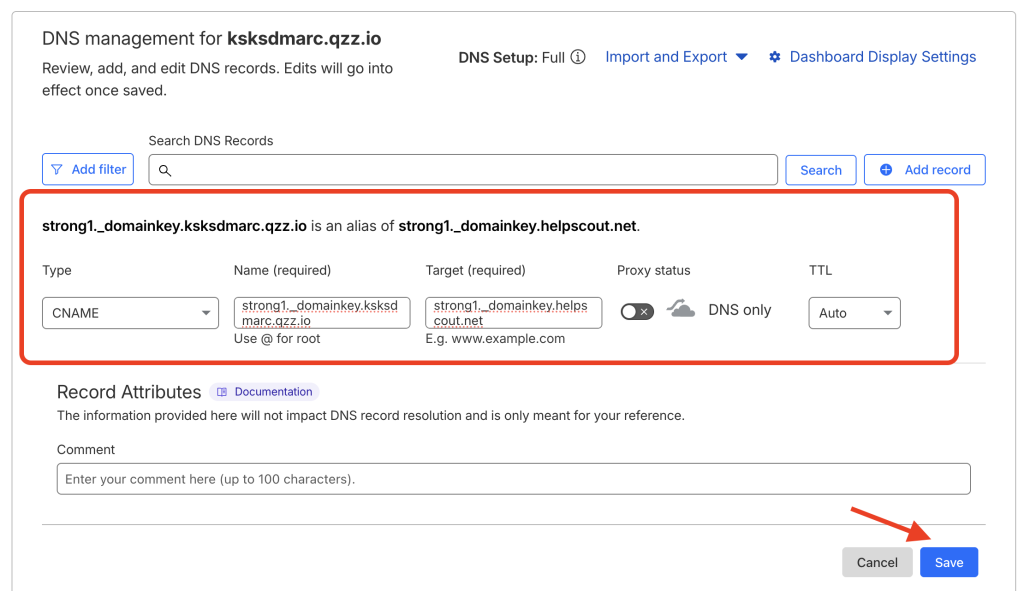
strong1._domainkey.yourdomain.com will point to strong1._domainkey.helpscout.net
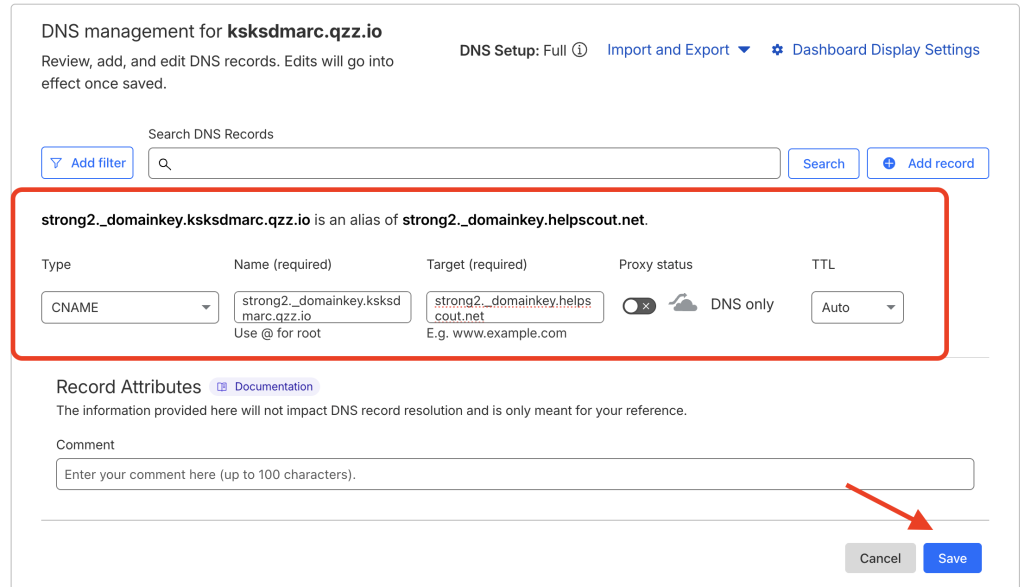
- strong2._domainkey.yourdomain.com will point to strong2._domainkey.helpscout.net
How to Obtain the CNAME Records from Help Scout
- Log in to your Help Scout account.
- Navigate to Manage → Inboxes.
- Select the inbox you want to configure.
- Go to Outgoing Email → Use Help Scout.
- The system will provide the two required CNAME records.

- Copy these records and add them to your DNS zone.
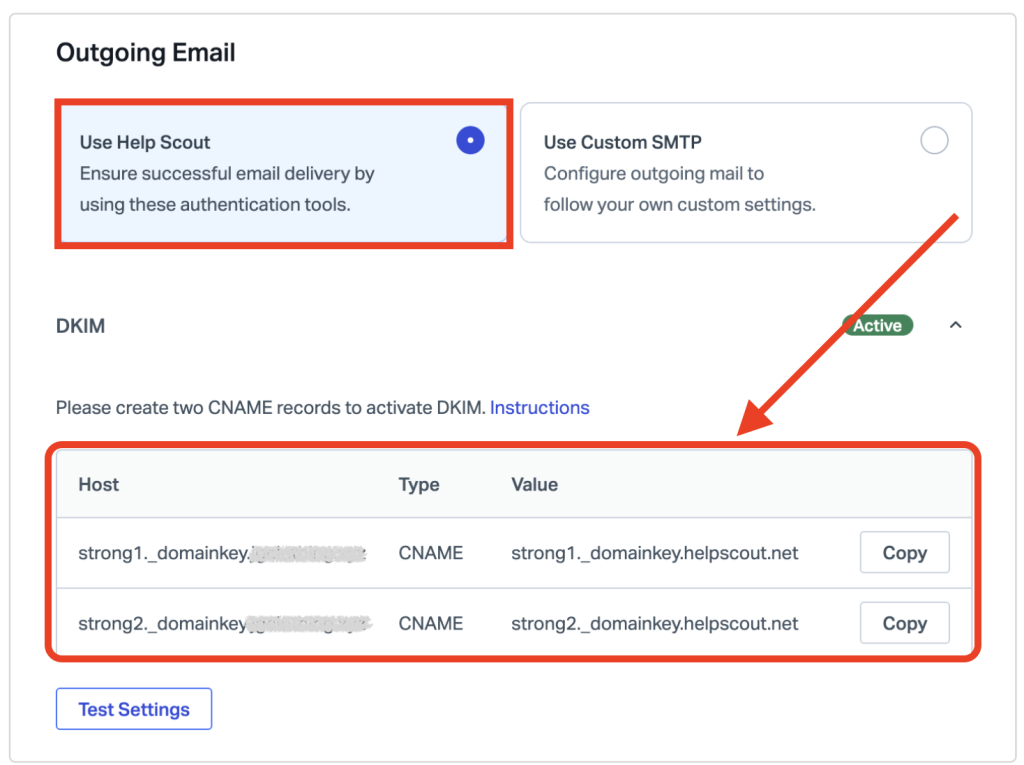
Note: The screenshot below shows an example using Cloudflare as the DNS provider.
Important Notes
- If you are using Cloudflare, make sure the Proxy status is turned off (DNS Only) for both CNAME records.
- DNS changes may take some time to propagate across the internet.
Verify DKIM Configuration
After adding the records and allowing time for DNS propagation:
- Return to the Help Scout dashboard.
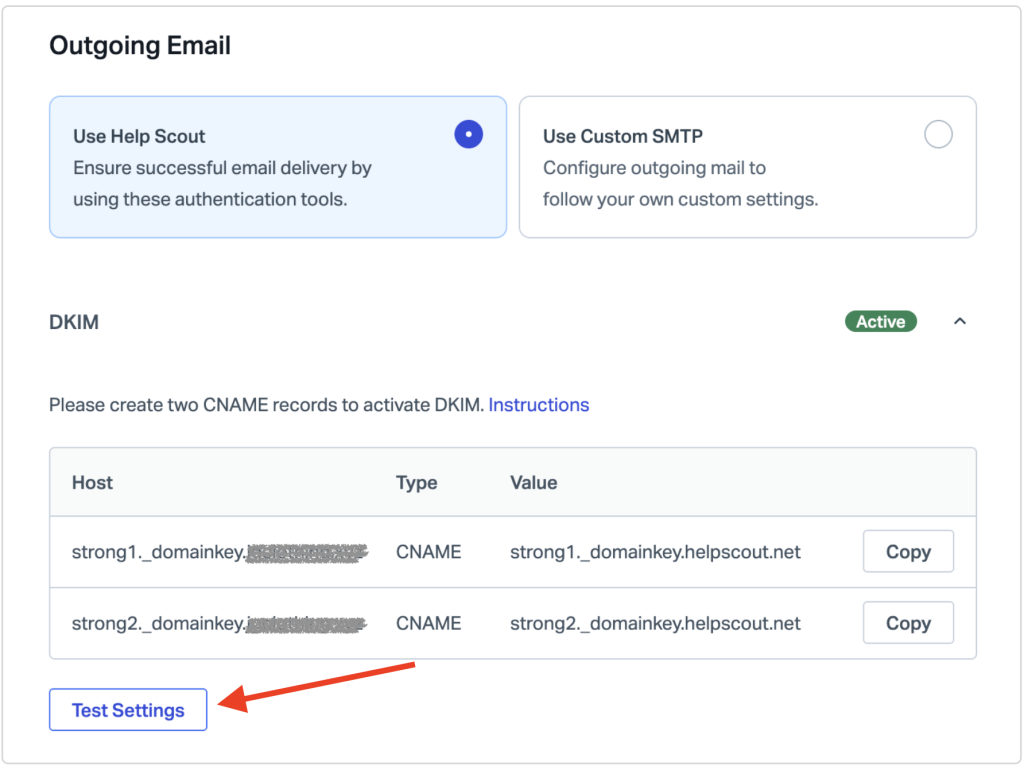
- Click the Test Settings button located in the lower-left section.
- If the CNAME records are detected correctly, the DKIM status will change to Active.
That’s it!. You’ve successfully authenticated your outgoing mail stream from Help Scout using DKIM. This helps improve email security and reduces the likelihood of your messages being marked as spam.
If you have any further questions, don’t hesitate to contact the EasyDMARC Support Teamat [email protected]

 We’re glad you joined EasyDMARC newsletter! Get ready for valuable email security knowledge every week.
 You’re already subscribed to EasyDMARC newsletter. Continue learning more about email security with us


