Spam Email Definition | EasyDMARC Glossary

What is Spam Email?

Spam email refers to any unsolicited or unwanted message sent in bulk, often for advertising, phishing, or malicious purposes. These emails typically originate from compromised accounts, botnets, or spoofed domains and can overload inboxes, harm productivity, and expose users to security threats. Because spam is usually sent without permission, providers treat it as low-quality and potentially harmful traffic.

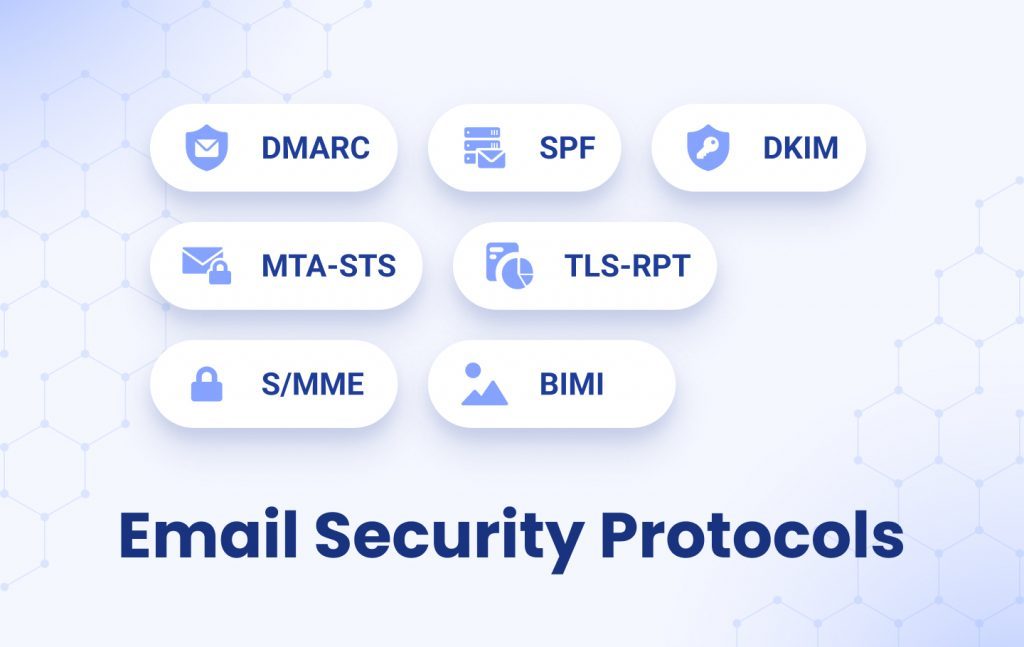
A proper spam email definition includes both nuisance messages and dangerous ones. While some spam simply promotes low-value products, others contain malware, phishing links, or attempts to steal personal information. Strong authentication protocols such as SPF, DKIM, and DMARC help mailbox providers verify whether an email truly comes from the domain it claims to represent.

Spam email affects individuals and businesses by damaging domain reputation, increasing the risk of phishing attacks, and reducing inbox trust. Because spam filters adapt constantly, organizations must maintain ongoing monitoring and strong email protection to keep mail flowing safely.

Where Spam Email Comes From

Spam email originates from multiple sources: infected devices controlled by botnets, compromised user accounts, spoofed domains, or bulk-sending servers operated by scammers. When a message is sent, mailbox providers analyze the sender’s IP reputation, domain authentication, and past sending behavior to determine whether the email is legitimate or likely to be spam.


Providers also evaluate content quality, suspicious URLs, sending frequency, and engagement signals. High complaint rates, inconsistent authentication, or sudden spikes in volume increase the likelihood of an email being filtered or rejected. Because spam comes from both automated networks and human-operated campaigns, constant monitoring and strong authentication are essential defense layers.

Maintaining accurate DNS records, ensuring SPF/DKIM/DMARC alignment, and using scanners such as phishing link checkers help organizations block unwanted messages before they impact users.

Spam Email Issues and Risks

Common Spam Email Issues

Inbox overload: Large volumes of unsolicited messages reduce productivity and slow communication.
False positives: Legitimate emails can land in spam when authentication or reputation signals are weak.
Security threats: Spam often includes harmful URLs, malware attachments, or phishing attempts.
Reputation damage: Sending patterns that resemble spam lower domain and IP reputation.

Key Risks of Uncontrolled Spam

Higher phishing exposure: More spam reaching users increases the chance of credential theft.
Business interruption: Critical messages may be delayed or missed due to aggressive filtering.
Lower trust: Poor email hygiene weakens sender reputation and harms long-term deliverability.

How to Stop Spam Email

Reducing spam email requires a combination of strong technical authentication and proactive security practices. Organizations should maintain up-to-date DNS records, use secure email gateways, and verify unfamiliar communication before responding. Consistent sending behavior helps mailbox providers distinguish valid messages from bulk or malicious traffic.


SPF, DKIM, and DMARC provide the foundation needed to authenticate outgoing emails and prevent domain spoofing. Monitoring domain and IP reputation through tools like a domain health checker helps identify early signs of abuse or misconfiguration. Link scanning, email header analysis, and phishing detection tools add an extra layer of security to block harmful content before it reaches users.

Key Ways to Reduce Spam

Enable SPF, DKIM, and DMARC to authenticate email and prevent spoofing.
Use spam filters and secure gateways to detect harmful or unsolicited messages.
Monitor domain and IP reputation to catch early signs of abuse.
Maintain clear sending patterns to avoid being misclassified as spam.
Review DNS records regularly for accurate authentication alignment.

Relevant Resources

What Are the Best Email Authentication Services for Preventing Spoofing
Understanding Email Authentication Setup to Prevent Spoofing
image for Email Security Protocols
Email Security Protocols and Why They’re Important
blue cover
Phishing Attacks: Recognize and Avoid Email Phishing
.WhatisSpamEmailandHowtoPreventIt
What is Spam Email and How to Stop It?
How does DMARC prevent Phishing
How Does DMARC Prevent Phishing? DMARC, DKIM, and SPF Tools