
Email runs on old protocols that were never built to verify identity, which is why cybercriminals exploit them. Attackers spoof domains, forge headers, and trick users into sharing data or money with just one believable message.
If you want to understand how to stop phishing emails, you first need to know how email authentication layers work. Once you see how SPF, DKIM, and DMARC validate sender identity, it becomes clear why securing your domain is no longer optional.
This blog guides you on the step-by-step process, along with ways to avoid common mistakes.
What are Email Spoofing and Phishing?
Email scams look normal at first glance, but most of them start with tiny tricks inside the email header. Once you understand how spoofing and phishing work together, it becomes much easier to see how to stop phishing emails with the proper checks and anti-phishing techniques.
What Is Email Spoofing?
Email spoofing happens when an attacker fakes the “From” address to look like a real person or domain. The email doesn’t come from the server it claims to be from, but the header is edited in a way that makes it look genuine. This is done so the user drops their guard and treats the message as safe.
What Is Email Phishing?
Email phishing is when the attacker uses a fake or misleading email to convince someone to click a link, share login details, or send money. The whole point is to trick the user into an action that benefits the attacker. Spoofing is often used to make the phishing email look more trustworthy.
What Is SMTP and How Does It Affect Email Security?
Simple Mail Transfer Protocol (SMTP) is the basic system that pushes emails from one server to another. It’s reliable and widely supported, but it was created in a time when cyberattacks were not even a concern. Because of that, the protocol still carries some old limitations that attackers use today to send fake emails, spoof domains, and run phishing campaigns.
SMTP Was Not Made for Modern Security
SMTP’s original design never included any built-in verification checks. The protocol assumes that any server sending an email is honest about its identity. There is no native way to confirm if the “From” address is real, if the domain actually authorized the message, or if the content was changed during transit.
In simple words, SMTP delivers the message but never questions who sent it or whether the identity is genuine. Because of these gaps, SMTP accepts forged headers, spoofed domains, and tampered messages without raising any red flags. That’s exactly what makes it useful for phishing, impersonation, and other email-based attacks.
SPF: First Layer of Protection
SPF (Sender Policy Framework) is a security system that tells the world which mail servers are allowed to send emails for your domain. You set this rule inside your DNS as an SPF record. So when your domain sends an email, the receiving server checks your SPF record to see if the email actually came from an approved server or not.
How Does SPF Work?
When your email reaches someone’s inbox provider, that provider quickly looks at the IP address of the sending server. Then it compares that IP with the list inside your SPF record. If the IP matches, the email is treated as a legitimate message. If it doesn’t match, the provider knows something’s off and marks the email as suspicious.
This is important because attackers often try to send fake emails using someone else’s domain. Without SPF, the receiver has no way to tell if the email was sent from an authorized server or a random attacker’s server. SPF blocks this by giving a clear “allowed list,” which makes spoofing much harder.
In short, SPF is one of the simplest layers of phishing attack prevention strategy, because it helps mailbox providers catch fake senders before the email even reaches the user.
DKIM: Verifying Email Identity
DKIM (DomainKeys Identified Mail) is a system that proves an email hasn’t been changed on the way and actually belongs to the domain it claims. Think of it like putting a digital lock on every email you send. Only your domain has the key to create that lock, and the receiving server has the key to check if it’s real.
How Does DKIM Work?
When your domain sends an email, the mail server adds a hidden DKIM signature inside the header. This signature is created using a private key that only your domain controls. The receiving server then looks up your public key in the DNS and uses it to verify the signature. If the signature matches, it means two things:
- The email genuinely came from your domain, and
- Nobody changed the content during transit.
This matters because attackers often edit emails or send fake ones pretending to be you. Without DKIM, the receiver has no way to know whether the message has been tampered with. DKIM blocks this by giving the server a mathematical way to confirm the message is clean and untouched.
DMARC: The Final Shield Against Phishing
DMARC (Domain-Based Message Authentication, Reporting, and Conformance) works on the basis of SPF and DKIM results. SPF checks the server, DKIM checks the signature, and DMARC checks if everything matches the domain’s rules. If something doesn’t match, DMARC tells the receiving server what to do with such an email.
Additionally, this protocol sends reports so domain owners can see who’s sending emails on their behalf, and whether it’s a genuine service or a suspicious source. This visibility is what helps you catch spoofing attempts early.
DMARC Policies
There are three DMARC policies. You set your DMARC record to one of the policies, depending on the action you want the receiving server to take for emails that fail the DMARC authentication checks.
-
None Policy
This mode only monitors. Emails that fail DMARC still get delivered, but you receive reports. It’s mainly for checking your setup without affecting mail flow.
-
Quarantine Policy
If you chose the ‘quarantine’ policy, emails that fail DMARC don’t directly reach the inbox. They get pushed into spam or a similar folder. It’s a lighter enforcement mode, ideal for the early rollout stage or for businesses that want protection without increasing the chances of their legitimate emails bouncing back.
-
Reject Policy
This is the strictest mode. Under the ‘reject’ policy, any email that fails DMARC is blocked completely. This is the best setting for stopping phishing and spoofing attempts before they ever reach a user.
How DMARC Helps You Stop Phishing Emails?
DMARC is one of the strongest tools for controlling who can send emails using your domain. Here is how it contributes to your efforts towards phishing email prevention.
DMARC Enforces Domain Alignment
DMARC doesn’t just check SPF or DKIM; it checks whether they match your domain. This is called alignment. Attackers may try to pass SPF or DKIM with their own domain, but if the identity doesn’t match your domain, DMARC blocks it. This alignment rule is what makes it extremely hard for attackers to fake your brand or slip through basic filters.
DMARC Gives Full Visibility Into Abuse Attempts
One of the best features of DMARC is the reporting system. Every mailbox provider sends regular reports showing who is sending emails using your domain, including legit services, misconfigured tools, or outright attackers. This visibility helps you spot unusual patterns, fix authentication issues, and take action before a phishing campaign grows bigger.
DMARC Lets You Control What Happens to Failed Emails
DMARC policies let you decide how strict you want to be. Once you move to “reject,” any email that fails DMARC is blocked completely. This is the final layer that stops brand impersonation, CEO fraud, and most domain-based phishing attempts.
Steps to Stop Phishing Using SPF, DKIM, and DMARC Tools
The following steps help you build a full authentication chain and help mailbox providers verify your identity.
Step 1: Set Up SPF Correctly
Setting up SPF starts with identifying every service that sends email for your domain. Once you have that list, you can use SPF Generator to create a clean, optimized SPF record without syntax errors or unnecessary mechanisms. After generating it, you simply publish the record in your DNS. Mailbox providers then use this record to verify if a sender is authorized.
SPF works only when your record lists all the servers allowed to send email for your domain. If something is missing or outdated, attackers can exploit that gap. SPF Checker helps you spot wrong IPs, old settings, and unnecessary entries so your SPF stays clean and secure.
Step 2: Add DKIM Signing
Setting up DKIM starts with generating a public and private key pair for your domain. Using DKIM Record Generator, create a secure selector and key without dealing with complex command-line steps. You then publish the public key in your DNS as a TXT record and enable DKIM signing in your email service. Once both sides match, mailbox providers can verify your signatures.
Step 3: Publish a DMARC Policy
To publish a DMARC policy, start by creating a DMARC TXT record using our DMARC Record Generator. Then go to your domain’s DNS settings and add a new TXT record with the hostname _dmarc.yourdomain.com. Paste the DMARC value, save it, and wait for DNS propagation.
After it updates, your domain officially starts enforcing the DMARC policy. Start with the “none” policy so you can monitor without affecting mail flow.
Step 4: Monitor DMARC Aggregate Reports
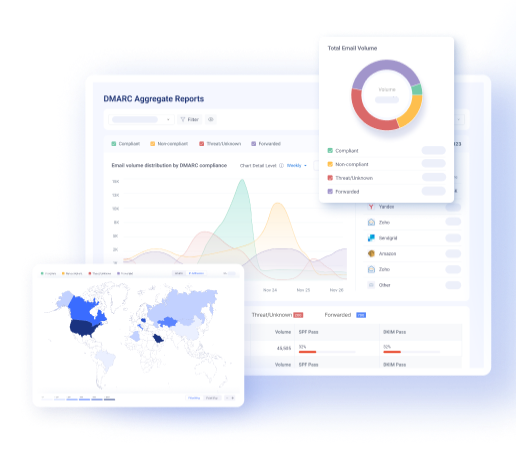
DMARC reports show every server, whether legitimate or unauthorized, that is sending email using your domain. These reports are delivered as complex XML files, but EasyDMARC’s DMARC Report Analyzer converts them into simple visual dashboards. This helps you spot unknown senders, broken authentication, forwarding issues, and other risks. Regular monitoring lets you catch problems early and stops attackers from quietly sending spoofed emails in your name.
Step 5: Move to a Stricter DMARC Policy
Once everything is aligned, move to stricter enforcement. “Quarantine” pushes risky emails to spam, and “Reject” blocks them entirely. These steps play a big role in stopping phishing emails at scale.
Step 6: Use Professional DMARC Tools for Full Protection
Using a combination of professional DMARC tools helps you detect issues early on, giving you time to fix them before a threat actor exploits them.
-
Domain Health Monitoring
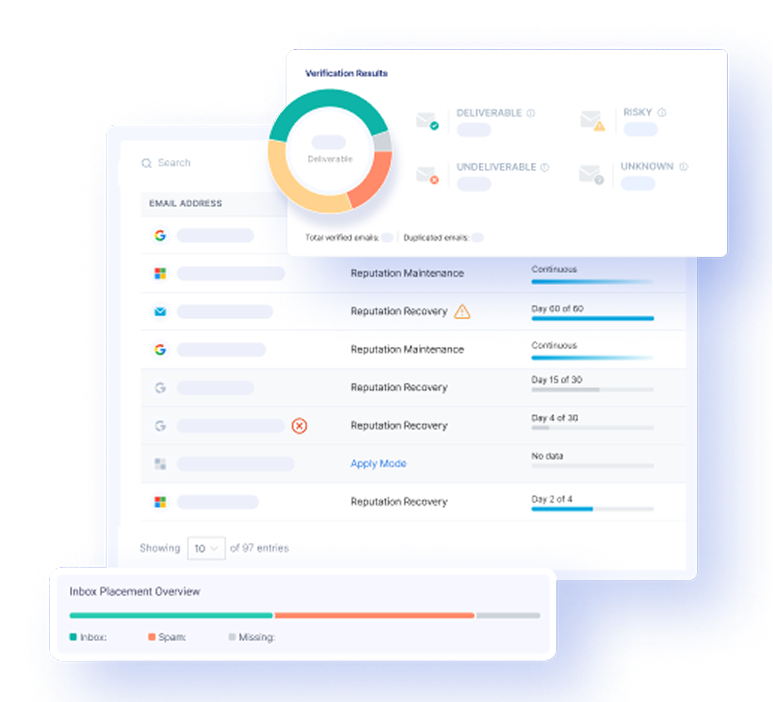
Domain health tools scan DNS records, authentication configurations, and policy settings to detect misalignment, syntax errors, and expired keys. Domain Tester alerts you when something is wrong, such as the removal of a DKIM key or a breach of an SPF limit.
-
Threat Intelligence
Threat intelligence tools compare attack attempts with global threat data so that you can see who is trying to impersonate your brand and how. This visibility helps you prevent phishing attacks.
-
Email Source Discovery
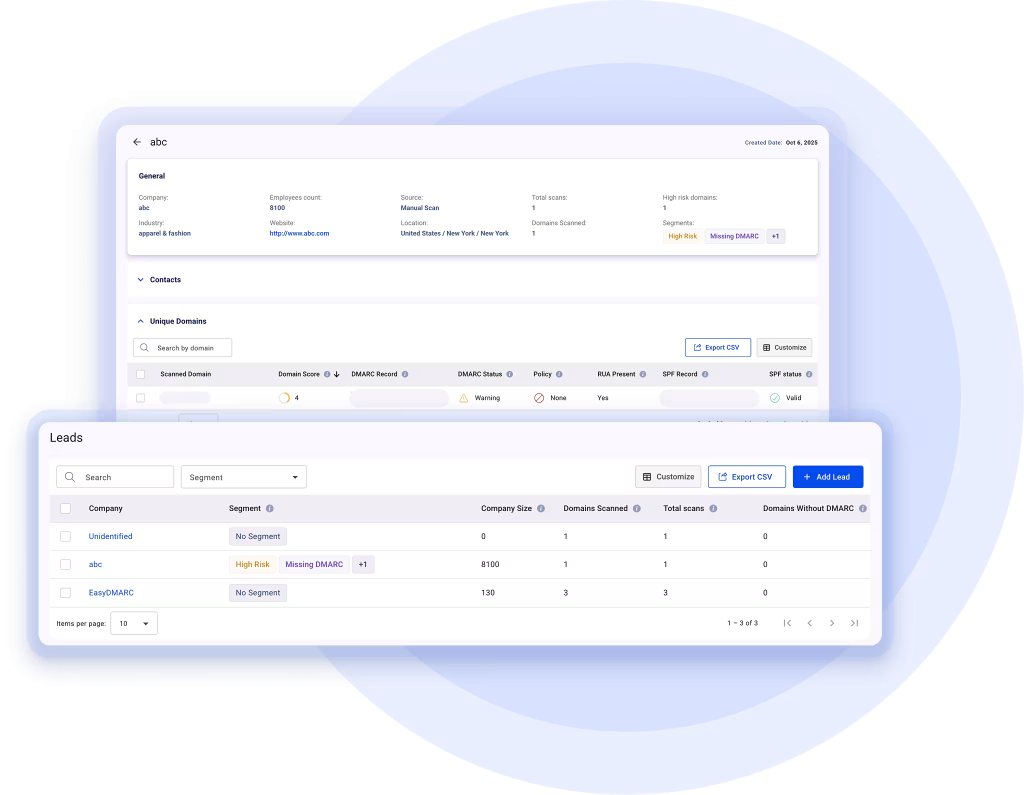
Email Source Discovery shows every platform that sends email using your domain, like email providers, CRM tools, marketing platforms, or unknown services. This helps you avoid accidental DMARC failures and makes it easier to keep SPF and DKIM properly aligned.
-
Automated Policy Handling
Automated policy handling helps your domain move safely from “none” to “quarantine” and then to “reject” by using real report data. It reduces setup errors, verifies all sending sources, and prevents email delivery issues.
Why Protected Email Matters?
Email is still the main channel for business communication, financial approvals, and account access, which is why attackers constantly target it. If emails are not properly authenticated and monitored, they can be misused for fraud, impersonation, and data theft. Understanding how to stop phishing emails begins with recognizing that email protection is no longer optional.
-
Prevention Against Brand Impersonation
When your domain has SPF, DKIM, and DMARC in place, mailbox providers can check whether an email pretending to be you is real. This makes it difficult for attackers to impersonate your brand and trick customers or employees with fake invoices, login pages, or malware files.
-
Reduces the Chances of Financial Loss and Account Takeovers
A single spoofed email can trigger wire transfers, leak login credentials, or trick an employee into sharing sensitive files. Email authentication reduces these risks by blocking fake messages at the gateway level. This helps prevent account compromises, payroll fraud, and internal scams.
-
Builds Trust With Customers and Providers
Mail providers trust authenticated domains because verified senders are safer. When your email is well protected, inboxes are more likely to deliver it instead of pushing it to spam. This improves visibility, protects your brand image, and helps your business emails reach the right people.
Consistent authentication also tells customers that you care about security and are actively protecting their communication channel.
-
Strengthens Compliance and Reporting
Today, many security rules require businesses to protect their email systems. DMARC and similar controls provide reports showing who is sending email from your domain and whether anyone is misusing it. These anti-phishing techniques help you act quickly and meet modern cybersecurity requirements across different industries.
Common Mistakes Companies Make
Companies often rush to deploy email authentication protocols and end up making the following mistakes-
-
Publishing DMARC Without Fixing SPF or DKIM
DMARC only works if SPF and DKIM are correctly set up and monitored. If either record is broken or missing, DMARC cannot check the sender identity. This makes the policy useless because emails fail alignment, and spoofing may still slip through.
-
Staying on the “none” Policy Forever
When advising on how to stop phishing emails, it’s recommended to set DMARC to “none.” This helps domain owners monitor the traffic, but some businesses never move past the monitoring mode. This gives way to attackers to spoof the domain because emails sent by them are neither marked as spam nor blocked.
Remember, the goal of DMARC implementation is to gradually shift to “quarantine” and, eventually, to “reject” for more efficient protection.
-
Ignoring DMARC Reports
DMARC sends regular reports that show who is sending emails using your domain. Many companies don’t read them, and end up missing signs of abuse or misconfigurations. These reports are important because they help you identify unknown senders, fix broken records, and track whether your protection is actually working.
-
Using Incomplete SPF Records
SPF only works when every mail service you use is listed in the record. If something is missing or the record becomes too long, authentication fails. Real emails may get rejected, and attackers may find gaps. Updating SPF whenever you add new services is essential.
-
Not Signing All Email Streams With DKIM
Businesses sometimes forget that every tool or service that sends emails for their domain must have DKIM enabled. If even one sender is missing a DKIM signature, alignment fails, and DMARC may block harmless emails. Using EasyDMARC’s DKIM Record Checker helps you verify each sending source so everything stays trusted and properly aligned.
-
Deploying Too Fast Without Testing
Some teams jump straight to “reject” mode without checking reports first. This can block real emails and cause confusion. Testing in “none” mode lets you find issues early and fix them before enforcement.
-
Lack of Ownership and Continuous Monitoring
DMARC is not something you set up once and forget. Domains often add new tools and email services, so settings need updating. If no one is checking reports or maintaining records, the setup becomes outdated. Attackers can then misuse the gaps, and even genuine emails may start failing.
EasyDMARC Tools Make Protection Easier and Stronger
EasyDMARC’s set of tools gives you everything you need: SPF checker, DKIM generator, DMARC record builder, reporting dashboards, threat insights, and automated policy handling. So, instead of guessing, you see what’s happening and fix it before attackers do. It saves time, removes confusion, and helps you apply security the right way. Even if you are not very technical, the platform guides you step by step.
Start monitoring your domain and control who uses it and how.
Frequently Asked Questions
DMARC blocks many phishing emails, especially those that impersonate your domain. But it cannot stop every type of scam. Attackers may still send fake emails from look-alike domains or free accounts. So DMARC is powerful, but it works best when combined with user awareness and other security tools.
Yes, all three work together. SPF checks the sending server, DKIM verifies that the message is unchanged, and DMARC connects the two and tells mail providers what to do with failures. Using only one or two leaves gaps. When all three are active, your protection becomes much stronger.
Start with the “none” policy. It lets you monitor who is sending emails using your domain without blocking anything. Once everything looks correct, you can move to “quarantine” and later “reject” to start stopping fake emails.
Yes. Attackers do not only target big brands. Small businesses are often easier to spoof because they have weaker security. DMARC protects your identity, prevents fake emails from going to customers, and helps you spot misuse early. So even small setups benefit from it.

 We’re glad you joined EasyDMARC newsletter! Get ready for valuable email security knowledge every week.
 You’re already subscribed to EasyDMARC newsletter. Continue learning more about email security with us


