

DMARC is an email authentication protocol that helps protect organizations and their email recipients from fraudulent emails. Since its initial introduction in 2012, DMARC has become a fundamental domain security tool and a global email authentication standard. It works by using two protocols, SPF (Sender Policy Framework) and DKIM (DomainKeys Identified Mail), to verify a message’s authenticity. DMARC then uses the results of these checks to decide what should happen when an email fails authentication.
By setting a DMARC policy, domain owners can tell receiving mail servers how to handle suspicious messages. This helps reduce phishing and spoofing attempts while also giving organizations better visibility into how their domains are being used for email.
What Does DMARC Stand For?
DMARC stands for “Domain-based Message Authentication, Reporting, and Conformance.” DMARC builds on two existing email authentication protocols, Sender Policy Framework (SPF) and DomainKeys Identified Mail (DKIM), to provide an extra layer of defense.
DMARC also gives domain owners more control over how receiving mail servers handle emails that fail authentication checks. It helps organizations identify unauthorized use of their domains and provides reports that offer visibility into their email-sending activity.
Let’s discuss the importance of DMARC, how DMARC works, what DMARC records and DMARC policies are, and the benefits of DMARC.
What Does DMARC Do, and Why Is It Important?
DMARC ensures that only authorized senders can use your domain by verifying SPF and DKIM authentication for outgoing messages. When considering what DMARC does, its primary role is to safeguard your organization’s reputation and protect clients and partners from fraudulent emails that appear to come from your email address. DMARC is crucial for defending your domain against phishing and spoofing attacks. Additionally, DMARC reports provide insights into how your domain is used and help you detect unauthorized activity before it becomes a serious threat.
How Does DMARC Work?
DMARC works by verifying the authenticity of emails using SPF and DKIM. SPF allows a domain owner to specify which email servers are authorized to send emails on behalf of their domain, while DKIM allows the sender to add a digital signature to their messages, providing a means for the recipient to verify the mail’s authenticity.
If the email fails either SPF or DKIM alignment, DMARC applies the policy you’ve set. DMARC allows email domain owners to publish policies in their Domain Name System or DNS records specifying how email receivers should handle messages that claim to be from their domain or email address.
What are DMARC Policies?
There are three main DMARC policies that a domain owner can specify:
None (p=none)
This policy is used for monitoring purposes. Under this policy, email recipients do not take any specific action based on DMARC results. Both legitimate emails and malicious emails land in your inbox. The domain owner receives reports about the authentication status of emails claiming to be from their domain. This allows them to assess the impact of implementing DMARC without impacting the delivery of messages.
Quarantine (p=quarantine)
With this policy, if an incoming email fails DMARC authentication, the email receiver is instructed to treat it with suspicion and may choose to move it to the recipient’s spam folder or junk folder. The message is not outright rejected, but it is flagged as potentially suspicious.
Reject (p=reject)
Reject is the strictest DMARC policy. If an incoming message fails DMARC authentication, the email receiver is instructed to reject it outright, preventing the mail from reaching the recipient’s inbox. This policy provides the highest level of protection against email spoofing and phishing.
Organizations are advised to start with a “p=none” policy for monitoring, analyze their mail activity, and then gradually move to a more restrictive policy like “p=quarantine” or “p=reject”.
What is a DMARC Record?
A DMARC record is a TXT entry in a domain’s DNS that specifies how email servers should handle messages that fail authentication checks. It works in conjunction with SPF and DKIM to help prevent email spoofing and phishing. By implementing a DMARC record, domain owners can define policies that instruct receiving mail servers to accept, quarantine, or reject emails that fail authentication.
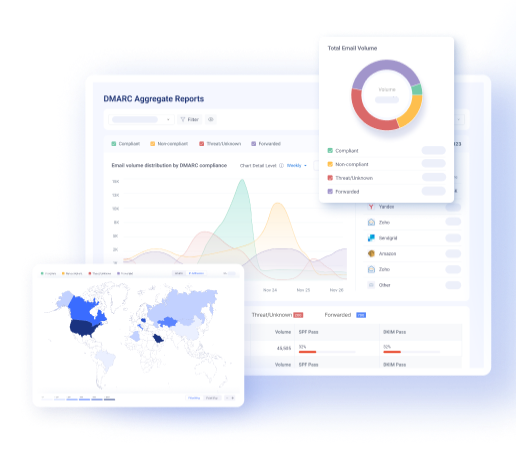
Additionally, DMARC records enable domain owners to receive detailed reports on email authentication activity. These reports provide insights into which sources are sending mail on behalf of the domain and whether they pass authentication checks. This visibility helps businesses detect unauthorized email use and strengthen their overall security posture.
The Structure of DMARC Records
The structure of DMARC records includes several key components, or tags, that specify how to handle messages claiming to be from the organization’s domain.
| Tag Name | Purpose | Sample |
| v | Protocol version | v=DMARC1 |
| p | Policy for organizational domain | p=quarantine |
| pct | Percentage of messages subjected to filtering | pct=20 |
| rua | Reporting URI of aggregate reports | rua=mailto:[email protected] |
| ruf | Reporting URI for forensic reports | ruf=mailto:[email protected] |
| adkim | Alignment mode for DKIM | adkim=s |
| aspf | Alignment mode for SPF | aspf=r |
| sp | Policy for subdomains | sp=reject |
Here’s an example of a simple DMARC TXT record:
“v=DMARC1; p=reject; rua=mailto:[email protected]; ruf=mailto:[email protected]; pct=90; adkim=s; aspf=r”
In this example, the organization has implemented DMARC with the most robust policy of “p=reject,” requests aggregate reports to be sent to “[email protected],” forensic reports to “[email protected],” allows for 90% flexibility in applying the policy, and uses strict DKIM and SPF alignment.
If you’re struggling to write DMARC TXT accurately, check out our free DMARC lookup tool.
What are the Benefits of DMARC in Email?
Think of DMARC as email insurance, as it helps protect your domain and email communications from different online attacks and threats. It checks whether emails are properly authenticated and lets domain owners decide what to do with messages that fail these checks. This can make email safer while also giving you better visibility into your email traffic.
Take a look at some of the key benefits of DMARC in email:
Phishing and Spoofing Prevention
DMARC helps protect recipients from phishing and spoofing attacks by checking whether an email is allowed to use your domain. This makes it harder for attackers to pretend to be your organization and send fake emails.
Increased Email Deliverability
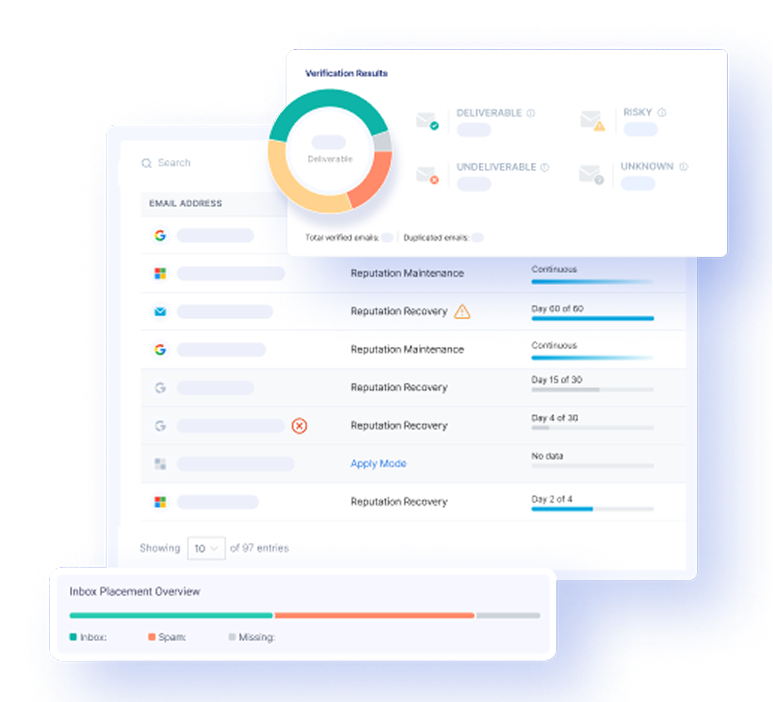
DMARC can help improve email deliverability by showing email providers that your domain uses proper authentication. When your legitimate emails pass these checks, providers are more likely to trust and deliver them.
Brand Protection
DMARC helps protect your brand by reducing the chances of attackers using your domain to send fake emails. This is especially important for businesses that regularly communicate with customers, partners, and employees through email.
Reporting and Visibility
DMARC reports show you where your emails are coming from and whether they are passing authentication checks. You can use this information to find unauthorized senders and improve your email security.
Regulatory Compliance
Using DMARC can help organizations meet certain email security requirements and industry standards. It also shows that the organization is taking steps to protect its email communications.
Improved Customer Trust
Customers are more likely to trust emails when they know they are really coming from your organization. By reducing domain impersonation, DMARC helps protect the trust people have in your brand.
Your DMARC Journey Made Simple
Implementing DMARC requires careful configuration and ongoing monitoring, but the benefits in email security and trustworthiness are substantial. While DMARC implementation requires technical expertise, EasyDMARC has developed a range of tools to make your DMARC journey a breeze. We provide comprehensive guidance and walk you through every stage of email authentication, ensuring you have the knowledge and tools needed for smooth compliance.
If you’re ready to start protecting your company and meeting your compliance goals, get in touch with us today.
Frequently Asked Questions
The three main concepts involved in DMARC are policy (defines the action a receiving mail server should take when an email fails authentication), alignment (used to match the domain in the From header with the domains used in SPF and DKIM), and reporting (allowing domain owners to receive aggregate and forensic reports on authentication performance).
DMARC is designed to protect against domain spoofing, an attack in which an email is sent by an unauthorized sender (who will sometimes pretend to be a legitimate entity), to help protect users against cyber threats that can put their personal or professional data at risk.
Implementing DMARC helps protect individuals and companies from unauthorized users or third parties trying to send emails on their behalf.
To configure DMARC, create a DMARC record in your domain’s DNS settings. You can use the EasyDMARC DMARC Record Generator to create the record and the DMARC Lookup Tool to check if it is published correctly.
DKIM adds a digital signature to emails to verify they came from an authorized sender. DMARC uses DKIM and SPF results to check email authenticity and tells receiving servers what to do with messages that fail these checks.

 We’re glad you joined EasyDMARC newsletter! Get ready for valuable email security knowledge every week.
 You’re already subscribed to EasyDMARC newsletter. Continue learning more about email security with us


