What is BIMI? | EasyDMARC Glossary

What is BIMI?

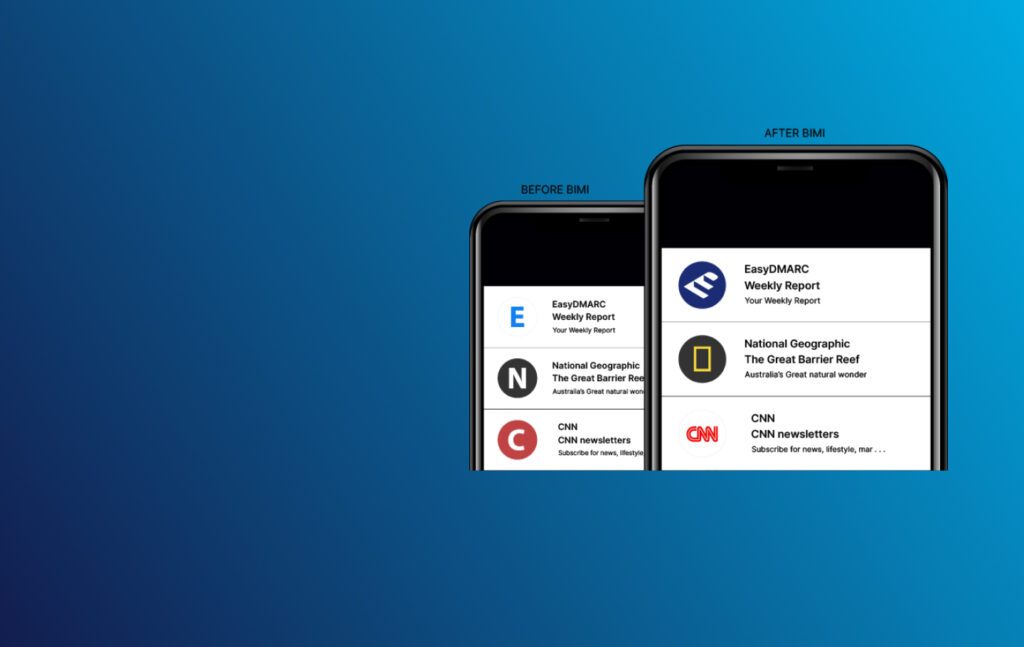
BIMI (Brand Indicators for Message Identification) is an email authentication standard that lets brands display their verified logo in supported inboxes. It works together with SPF, DKIM, and DMARC to prove email legitimacy and help recipients quickly identify trusted senders.

BIMI requires a DMARC policy set to quarantine or reject, proper authentication alignment, and a published BIMI DNS record pointing to an approved logo. Some providers also require a Verified Mark Certificate (VMC) to confirm logo ownership.

By showing a verified logo only when authentication passes, BIMI strengthens brand identity, builds user trust, and reduces the impact of email spoofing and phishing attacks.

How BIMI Works

BIMI functions by pairing email authentication with a DNS record that points to a brand’s verified logo. When an email is sent, mailbox providers check SPF, DKIM, and DMARC. If these checks pass and the domain uses a DMARC policy of quarantine or reject, the provider can look up the BIMI record to confirm the logo file.

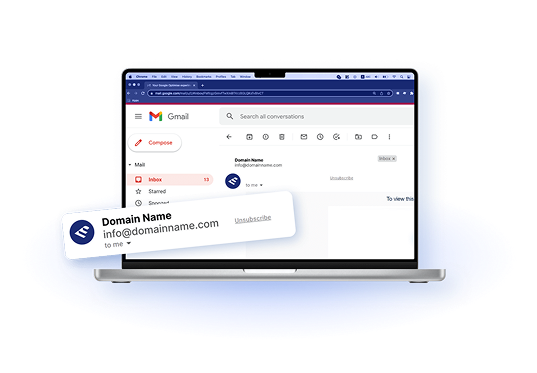
Supported inboxes may then show the sender’s official logo beside the message, but only when authentication and domain reputation meet the required standards. Providers may require a VMC to confirm ownership.

This process helps ensure that only legitimate, authenticated email is associated with the brand’s visual identity.

BIMI Requirements

BIMI works only when specific authentication, logo, and DNS conditions are met. These requirements help mailbox providers verify the sender and ensure the displayed logo is legitimate.

Core BIMI Requirements

A domain must have SPF, DKIM, and DMARC correctly configured, with DMARC set to quarantine or reject. The domain also needs a valid BIMI DNS record that points to an approved SVG logo in the required format. Strong domain and IP reputation are essential, since mailbox providers will not display logos for domains with poor authentication or a history of abuse.

Optional but Recommended Requirements

Many providers encourage the use of a Verified Mark Certificate (VMC), which confirms ownership of the published logo. Maintaining regular DNS audits and ongoing domain monitoring helps ensure all authentication settings remain accurate and consistent. These additional steps improve BIMI compatibility and support long-term trust signals.

Benefits of BIMI for Businesses

BIMI gives organizations a trusted way to show their verified logo in supported inboxes, which helps users quickly recognize legitimate messages. This visual indicator builds confidence, increases brand visibility, and strengthens engagement by making emails stand out among generic senders.

Because BIMI only appears when authentication passes, it also helps reduce the impact of phishing and spoofing attempts. Stronger trust signals, combined with authenticated email practices, improve overall sender reputation and contribute to better inbox placement over time.

How to Set Up BIMI

Setting up BIMI means preparing your authentication, logo, and DNS so mailbox providers can safely display your brand logo in the inbox.

Step 1. Publish a DMARC Policy

Start by publishing a DMARC record for your domain with a policy set to quarantine or reject. This policy is a core BIMI requirement and tells mailbox providers how to handle unauthenticated messages.

Step 2. Align SPF and DKIM

Make sure SPF and DKIM are correctly configured and aligned with the domain you use in the From address. Consistent alignment helps providers verify that your emails are legitimate.

Step 3. Prepare a BIMI-Compatible Logo

Create an SVG Tiny PS version of your brand logo that follows BIMI guidelines. The logo should be clear, simple, and suitable for display at small sizes in the inbox.

Step 4. Host the Logo Securely

Upload your SVG logo to a secure server that is accessible over HTTPS. The logo URL will be referenced in your BIMI DNS record so providers can retrieve it.

Step 5. Publish the BIMI DNS Record

Create a BIMI TXT record in DNS for your sending domain. This record includes the version tag and the URL of your hosted logo so mailbox providers know where to find it.

Step 6. Obtain a VMC if Needed

If your target mailbox providers require a Verified Mark Certificate, work with a trusted certificate authority to obtain a VMC that confirms ownership of your logo and brand.

Step 7. Test and Monitor BIMI

Use a BIMI record checker to confirm that your DNS record, logo, and authentication are all configured correctly. Continue to monitor DMARC reports and domain reputation to keep BIMI working reliably over time.

Relevant Resources

The Complete Guide to All-in-One DMARC Solutions
.
What is BIMI and Why Should Email Marketers Care About it?
A laptop on a desk,
How to Convert JPG to SVG for BIMI
A person's hand pointing to a writing
BIMI implementation: Why customize BIMI?
Two mobile images next to each other
How to configure BIMI record?